
Burning Bridges AI video examples
These Burning Bridges AI video examples were made on this site from a single photo each, at the default HD (720p) setting, and are shown exactly as they came out. Each one is the better of two runs with the same photo and line. Tap a video to watch it with sound, or open its page to see the photo it was made from, the settings and what to look for.
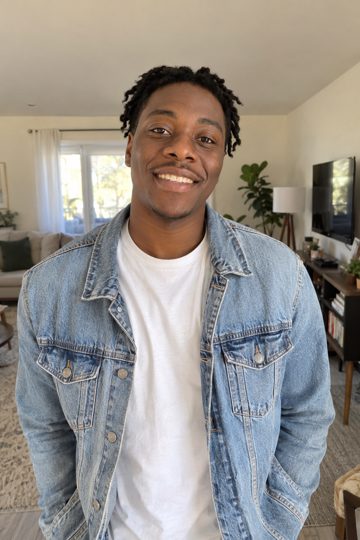 Just me: “Where she at?!”His short twists, clean-shaven face, white T-shirt and light denim jacket all come through from the photo.
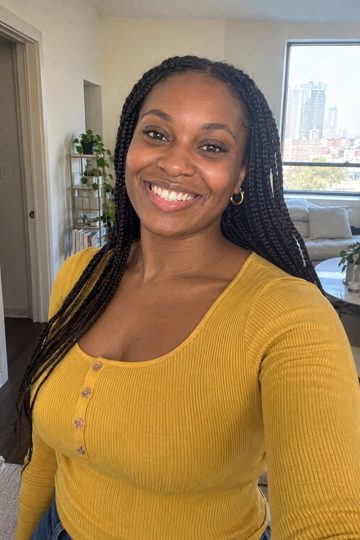 Just me: “Somebody pour me another one!”Her box braids and mustard-yellow top carry over. The photo stopped at the waist, so the AI filled in the jeans.
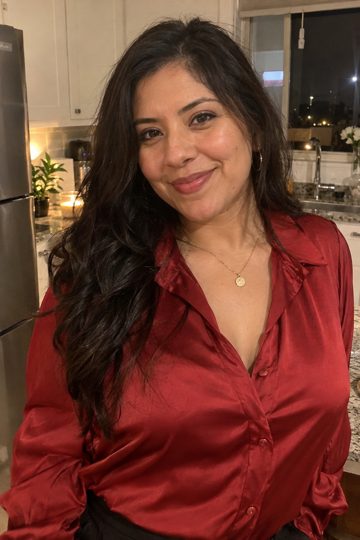 Just me: “Hold up, the party just started!”Her long dark wavy hair and red satin blouse come through clearly.
 Me + a friend: “Cheers to us!”One photo of each friend. His fade, beard, bomber jacket and gray hoodie, and her auburn hair and navy sweater, stay distinct.
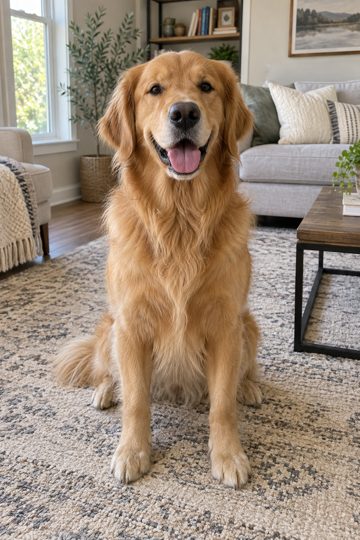
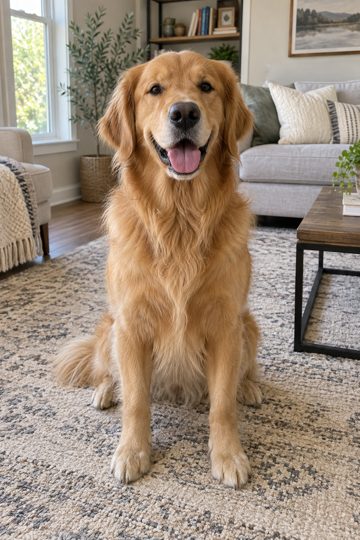 My pet: “Woof! Where she at?!”The golden retriever keeps its coat color and face from the photo; the black suit jacket and tiny cup come from the scene.
 Two pets: “Treats for everybody!”Both pets stay in frame most of the time: the golden retriever on the left and the orange tabby on the right, each in a black jacket.
What carries over from your photo
In all six examples, the face, hairstyle, skin tone and clothes come from the photo: the twists and denim jacket, the box braids and yellow top, the golden retriever’s coat. The room, the crowd, the chandeliers and the silver cup come from the scene, so they are new every time. If a photo stops at the waist, the AI fills in the rest of the outfit, like the jeans in the box-braids example. With two photos, each person or pet keeps their own look, and the first photo is always the host who says the line.
Why two runs of the same photo look different
Every video is generated from scratch, so the camera moves, the crowd and the exact moment the line lands change from run to run. Usually both runs are good. Sometimes one has a flaw: one run of the red-blouse example cut suddenly from a plain room into the party, and one run of the friends example added a few mumbled words before the line. That is why each of these Burning Bridges AI video examples is the better of two runs, and why a failed video gives your credits back.
How to get a result like these examples
- Use a sharp, well-lit photo with the face clearly visible: no sunglasses, no heavy filters.
- One person per photo. For two people, pick “Me + a friend” and upload one photo each.
- For pets, show the whole animal, with its face toward the camera.
- Keep the line short, under ten words, so it fits the “where she at?” moment.
- Choose HD to post; the fast 480p setting is fine for trying out ideas.
How we made these Burning Bridges AI video examples
The people and pets in these examples were made with AI, so no real person’s face is used. Each photo went through the same generator you use, with the same safety checks and the same price. We ran every photo and line twice and kept the better run without editing it. Results vary from run to run: faces, outfits and the crowd can change a little each time.
Make your own Burning Bridges AI video
Pick the mode that matches the example you like, upload a clear photo and keep or change the line. New accounts can make a free 5-second preview first; a full 15-second HD video is $9.90, or $4.99 each in the 10-video pack. Read how to make a Burning Bridges AI video for photo tips, or go straight to the Burning Bridges AI video generator.